
Self-serve LED billboard ads across Thailand
Upload a video or paste a product link. AI picks the billboards and time slots, you pay in credits per second or per car, and you watch your ad run live.
Sign up in under 1 minute and get free trial credits for your first campaign.

An LED billboard campaign in 3 steps
Select media
Paste a product link, or upload your own video or image.
Create ad media
AI designs the ad and picks the billboards and hours.
Budget & details
Set a budget in credits, check the details and run the campaign.
Links and files you can start from
- Website
- Facebook Page
- YouTube
- Google Maps
- Video .mp4
- .webm
- .mov
- Images .jpg
- .png
- .webp
The campaign plan AI builds before you publish
AI reads your media, names the product type, the audience and the best time slot, then picks the billboards. Swap any you don't want before you pay.
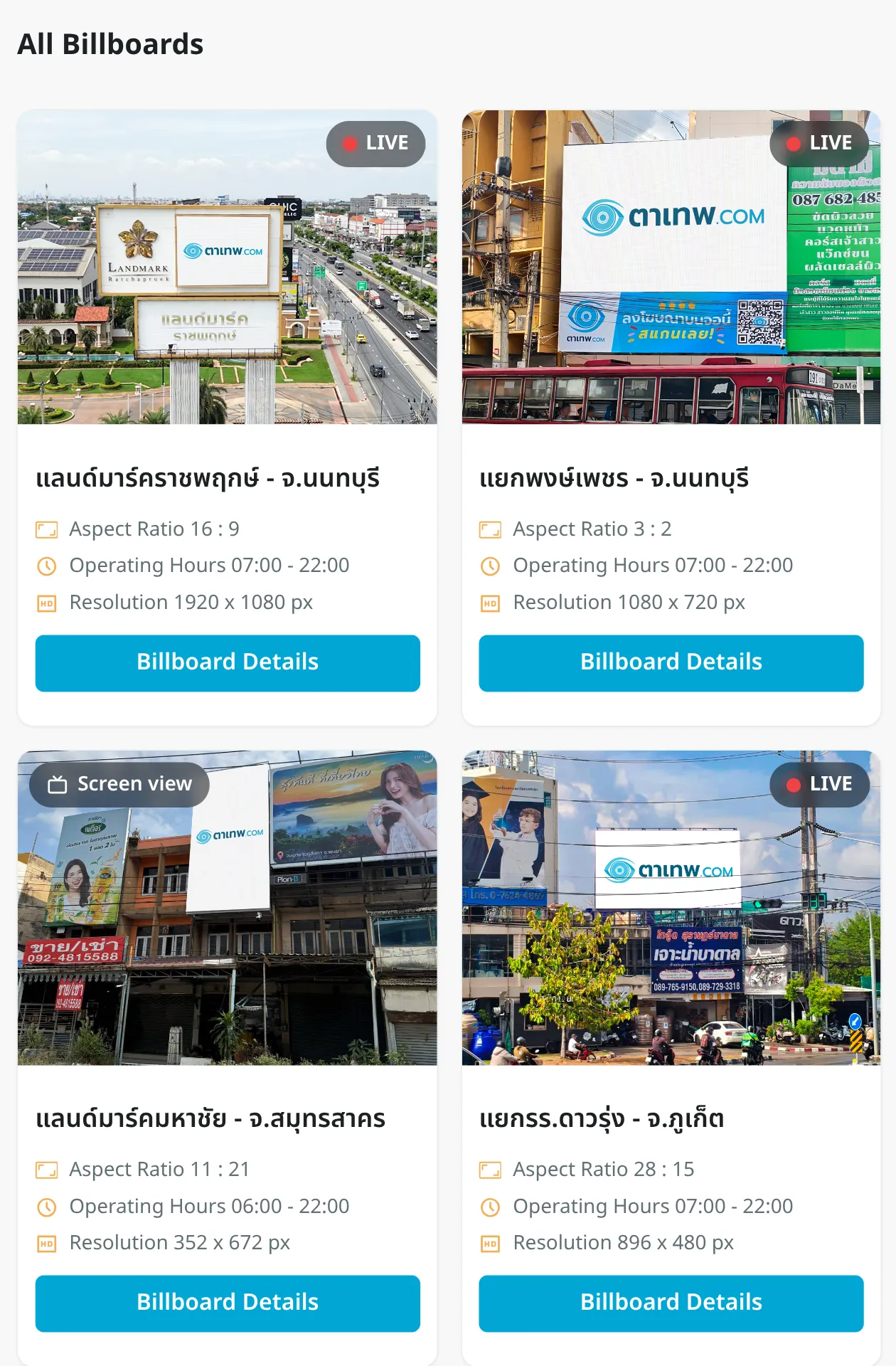

How you're charged: per second or per car
You pay for ads with credits you add to your account. Before you pay, you always see each billboard's price per second and the campaign's total cost.
- Quick Ad
- AI creates the ad and picks the billboards and time slots in 3 clicks. Swap any billboard you don't want for another before you pay.
- Custom Ad
- Pick the billboards, days and times yourself, then choose to be charged by airtime in seconds or by the cars that see your ad.

Watch your ad on the billboard, live
Open the live feed from the billboard playing your ad, with the traffic that passed it: cars per hour, vehicle type, colour and brand.
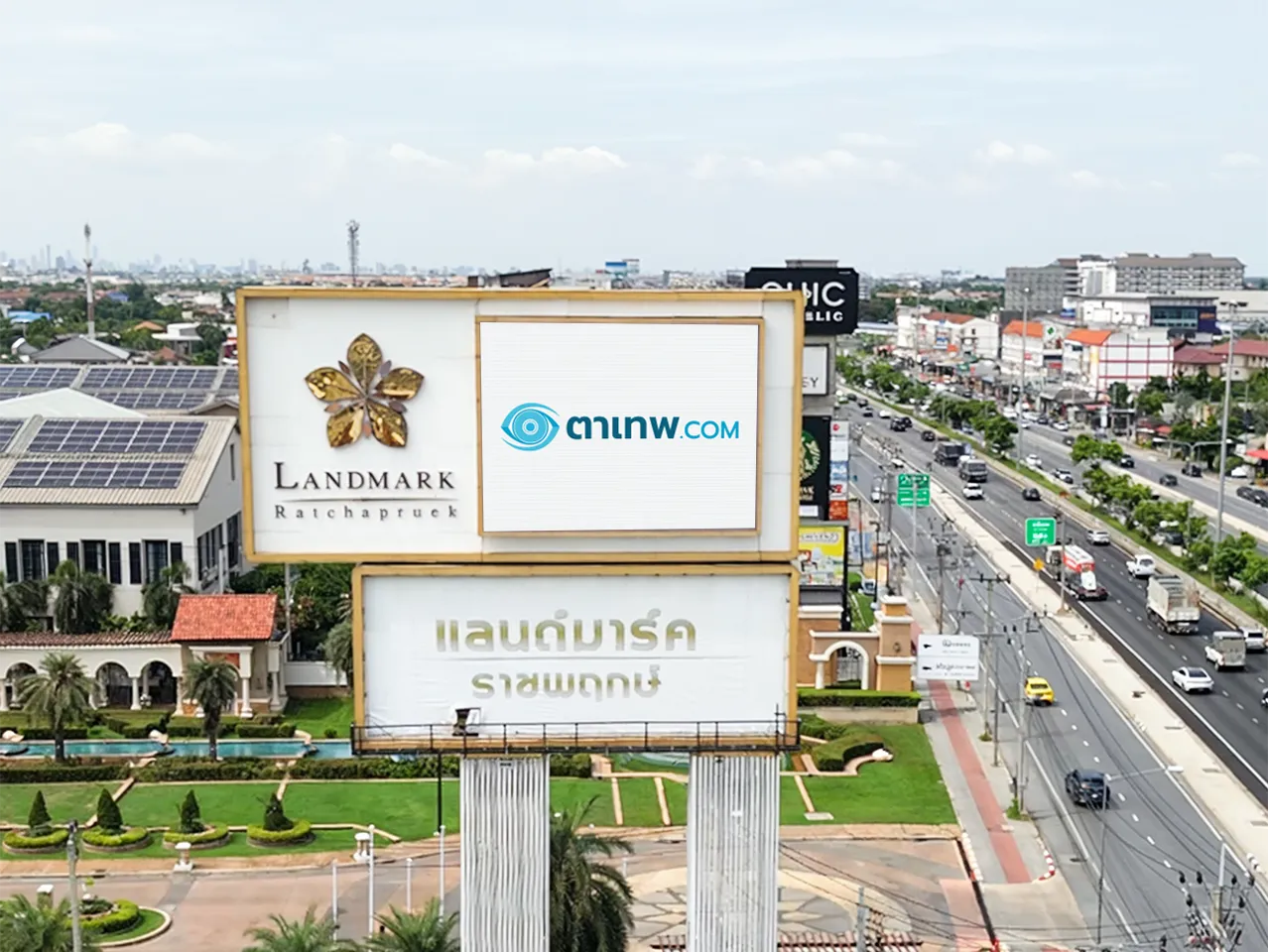 Landmark Ratchaphruek · Nonthaburi
Questions before your first campaign
Not sure yet? Run a first campaign on the free trial credits.
How long does sign-up take?
Under 1 minute. Sign up with Google, LINE, your phone number or email, and you get free trial credits once you're in.
Do I need a billboard video first?
No. Paste a shop or product page, and AI creates the ad for you.
Which files can run on a billboard?
Video in .mp4, .webm or .mov up to 100 MB, and images in .jpg, .jpeg, .png or .webp up to 10 MB.
How is billboard advertising charged?
With credits you add to your account. In Custom Ad you choose to be charged by airtime in seconds or by the number of cars that see the ad, and you always see the campaign total before you pay.
How do I see results from the billboard?
Open the live feed from the billboard playing your ad, with cars per hour and each vehicle's type, colour and brand.
Can I choose the billboards myself?
Yes. In Custom Ad you choose the billboards and hours. In Quick Ad AI picks them, and you can swap any before you pay.
Where are the billboards?
Browse every billboard, with its location and photo, on the platform once you sign up.